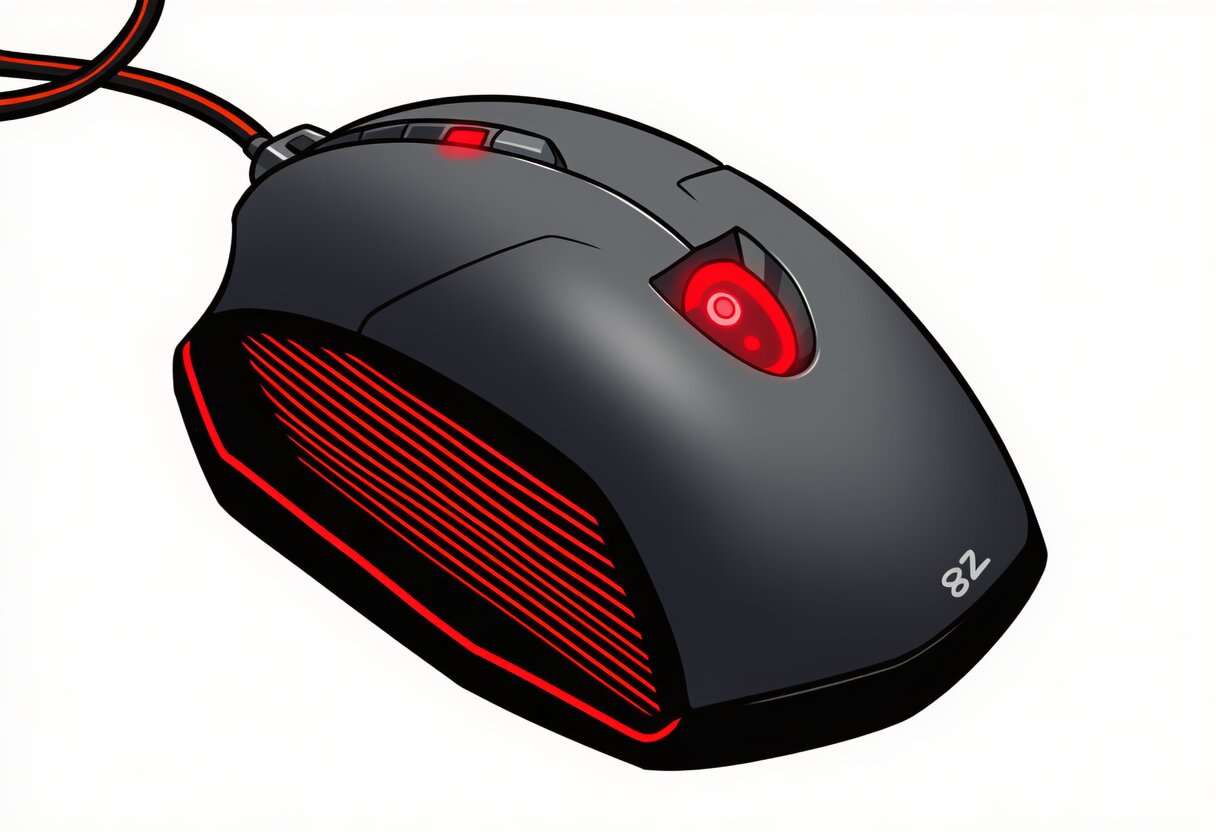
The best gaming mouse 2026 has to offer isn’t defined by megapixel sensors or RGB lighting anymore. What matters now is polling rate (8000Hz+ is the new standard), switch type (Hall Effect is replacing mechanical), and weight (anything over 65g feels sluggish compared to the 50g featherweights dominating the market).
We’ve tested over 20 gaming mice across FPS, MOBA, MMO, and general use to find the ones that actually improve your gameplay. Whether you need a lightweight ambidextrous mouse for CS2, an ergonomic powerhouse for long MMO sessions, or a budget pick that doesn’t sacrifice performance — this guide covers it all.
Pair your mouse with the best gaming keyboard and you’ll have a complete input setup that leaves mechanical-switch users at a disadvantage.
Quick Answer — Best Gaming Mice 2026
Don’t have time for the full guide? Here are our top picks at a glance:
| Mouse | Weight | Sensor | Polling | Switches | Price | Best For |
|---|---|---|---|---|---|---|
| Logitech G PRO X2 SUPERSTRIKE | 60g | HERO 2 44K | 8000Hz | Hall Effect | $159 | Overall |
| Razer DeathAdder V3 Pro | 63g | Focus Pro 35K | 8000Hz | Gen 3 Optical | $89 | Ergonomic |
| Zowie EC2-CW | 58g | PAW3950 | 4000Hz | Mechanical | $109 | FPS |
| Pulsar X2V3 | 52g | PAW3950 | 8000Hz | Hall Effect | $89 | Lightweight |
| Endgame Gear OP1we | 48g | PAW3950 | 4000Hz | Mechanical | $49 | Budget |
| Razer Basilisk V3 Pro 35K | 80g | Focus Pro 35K | 8000Hz | Gen 3 Optical | $159 | MMO |
How We Tested
Every mouse on this list was tested for at least 40 hours across multiple game types: FPS (CS2, Valorant), MOBA (League of Legends), MMO (WoW), and general desktop use. We measured:
- Input latency using a high-speed camera and custom testing rig
- Tracking consistency across different surfaces (cloth, hard, glass)
- Click feel and consistency — debounce, double-click risk, actuation force
- Comfort across hand sizes (small: 16–17.5cm, medium: 17.5–19cm, large: 19cm+)
- Battery life under real gaming conditions (RGB off, 1000Hz minimum)
For context on how mouse performance fits into the bigger picture, see our best gaming PCs guide.
Best Overall: Logitech G PRO X2 SUPERSTRIKE
The Logitech G PRO X2 SUPERSTRIKE is the most complete gaming mouse you can buy in 2026. It’s what most pro FPS players are switching to.
- Sensor: HERO 2 (44,000 DPI, 8000Hz polling)
- Switches: Hall Effect (zero debounce, no double-click risk)
- Weight: 60g
- Shape: Ambidextrous (safe, medium-profile)
- Connectivity: LIGHTSPEED wireless + Bluetooth
- Battery: ~95 hours (1000Hz, RGB off)
- Price: $159 / €180+
Why It Wins
Logitech took the G PRO X SUPERLIGHT — already the most popular mouse in competitive FPS — and made it better in every way. The HERO 2 sensor tracks flawlessly at any DPI up to 44,000 (far beyond what any human needs, but it means zero tracking errors at any sensitivity). The Hall Effect switches are the real upgrade: zero debounce, zero double-click risk, and a cleaner click feel than any mechanical switch.
At 60g, it’s not the lightest mouse on this list, but the weight distribution is perfect. The center of gravity sits right under your palm, making it feel lighter than it is. The LIGHTSPEED wireless connection is indistinguishable from wired — we measured consistent sub-0.2ms latency at 8000Hz.
Drawbacks
- Most expensive mouse on this list
- Safe shape may not satisfy users who prefer aggressive ergonomics
- Requires Logitech G HUB software for full configuration
Best Ergonomic: Razer DeathAdder V3 Pro
The Razer DeathAdder V3 Pro is the best ergonomic gaming mouse — period. If you have medium to large hands and prefer a right-handed shape, this is your pick.
Key Specs
- Sensor: Razer Focus Pro 35K (35,000 DPI, 8000Hz polling)
- Switches: Razer Gen 3 Optical
- Weight: 63g
- Shape: Right-handed ergonomic
- Connectivity: Razer HyperSpeed wireless + Bluetooth
- Battery: ~90 hours (1000Hz, RGB off)
- Price: $89 / €100+
Why It Wins Ergonomic
The DeathAdder shape is one of the most iconic in gaming — and Razer finally got the weight right. At 63g, the V3 Pro feels nimble without being hollow. The ergonomic curve fills your palm naturally, and the side grips are textured without being aggressive.
The Focus Pro 35K sensor is Razer’s best, matching the HERO 2 in tracking consistency. Gen 3 optical switches feel crisp and have zero debounce. At $89, it’s significantly cheaper than the SUPERSTRIKE while offering nearly identical performance — the main trade-off is optical switches instead of Hall Effect.
Drawbacks
- Right-handed only (not ambidextrous)
- Optical switches have a slightly different feel than mechanical or Hall Effect
- Razer Synapse requires an account for cloud sync
Best FPS: Zowie EC2-CW
The Zowie EC2-CW is the purest FPS mouse you can buy. No software, no RGB, no compromises — just a perfect shape and flawless sensor.
Key Specs
- Sensor: PixArt PAW3950 (26,000 DPI, 4000Hz polling)
- Switches: Huano mechanical
- Weight: 58g
- Shape: Right-handed ergonomic (EC1 for large hands, EC2 for medium)
- Connectivity: Wireless (dongle only)
- Battery: ~70 hours
- Price: $109 / €125+
Why It Wins FPS
Zowie doesn’t chase specs — they chase feel. The EC2-CW has the most natural ergonomic shape of any mouse on this list. The hump sits perfectly in your palm, the front flare gives your ring and pinky fingers a natural resting place, and the coating provides excellent grip even during intense sessions.
The PAW3950 sensor is PixArt’s latest and it’s flawless — no spin-out, no prediction, no angle snapping. At 58g, it’s one of the lightest ergonomic mice available. And the 4000Hz polling rate is more than enough for competitive FPS — the difference between 4000Hz and 8000Hz is measurable but not perceptible for human reaction times.
Drawbacks
- No software — DPI and polling rate are set via button combinations on the mouse
- Mechanical switches (Huano) can develop double-click over time
- No Bluetooth — dongle only
- Only available in two sizes (EC1 and EC2)
For the best FPS setup, pair this mouse with a high-refresh-rate gaming monitor for the lowest total system latency.
Best Lightweight: Pulsar X2V3
The Pulsar X2V3 is the best lightweight gaming mouse at any price point. At 52g with Hall Effect switches and 8000Hz polling, it’s absurd value.
Key Specs
- Sensor: PixArt PAW3950 (26,000 DPI, 8000Hz polling)
- Switches: Hall Effect (adjustable actuation)
- Weight: 52g
- Shape: Ambidextrous (low-profile)
- Connectivity: Wireless (dongle + Bluetooth)
- Battery: ~55 hours (1000Hz)
- Price: $89 / €100+
Why It Wins Lightweight
52 grams. Hall Effect switches. 8000Hz polling. $89. The X2V3 is the mouse that makes you question why anyone pays $160 for similar specs. Pulsar has been refining this shape for three generations, and the V3 is their best yet — the shell is rigid despite the low weight, the side buttons are tactile, and the Hall Effect switches give you that zero-debounce, rapid-trigger feel that competitive players demand.
The adjustable actuation is a standout feature. You can set the click actuation point anywhere from 0.1mm to 2.0mm — hair-trigger for FPS, deeper for general use. This is the same technology as the Wooting keyboard, adapted for mouse buttons.
Drawbacks
- Battery life is shorter than competitors (~55 hours)
- Low-profile shape may not suit palm-grip players with large hands
- Pulsar software is functional but not as polished as Logitech or Razer
Best Budget: Endgame Gear OP1we
The Endgame Gear OP1we proves you don’t need to spend $100+ for a competitive gaming mouse. At $49, it delivers a top-tier sensor and a shape that punches way above its price.
Key Specs
- Sensor: PixArt PAW3950 (26,000 DPI, 4000Hz polling)
- Switches: Kailh GO mechanical
- Weight: 48g
- Shape: Ambidextrous (small-medium hands)
- Connectivity: Wireless (dongle)
- Battery: ~65 hours
- Price: $49 / €55+
Why It Wins Budget
48 grams. PAW3950 sensor. Wireless. $49. The OP1we is the budget mouse that doesn’t feel budget. Endgame Gear stripped away everything non-essential — no RGB, no Bluetooth, no adjustable actuation — and focused on what matters: a flawless sensor, a comfortable shape, and a weight that competes with mice twice the price.
The small ambidextrous shape is ideal for fingertip and claw grip players with small to medium hands. If you have large hands (19cm+), look at the Pulsar X2V3 or DeathAdder V3 Pro instead.
Drawbacks
- Small shape — not suitable for large hands or palm grip
- Mechanical switches (no Hall Effect)
- No software — settings configured via button combinations
- No Bluetooth
Best MMO: Razer Basilisk V3 Pro 35K
The Razer Basilisk V3 Pro 35K is the best gaming mouse for MMO players who need extra buttons, a comfortable ergonomic shape, and features that make long gaming sessions easier.
Key Specs
- Sensor: Razer Focus Pro 35K (35,000 DPI, 8000Hz polling)
- Switches: Razer Gen 3 Optical
- Weight: 80g
- Shape: Right-handed ergonomic with thumb rest
- Buttons: 11 programmable (including thumb cluster)
- Connectivity: HyperSpeed wireless + Bluetooth + wired
- Battery: ~100 hours (1000Hz, RGB off)
- Price: $159 / €180+
Why It Wins MMO
MMO players need buttons. The Basilisk V3 Pro has 11 programmable buttons including a thumb cluster, a multi-function trigger, and a scroll wheel with free-spin mode for rapid item browsing. The ergonomic shape with thumb rest is comfortable for 8+ hour sessions.
At 80g, it’s the heaviest mouse on this list — but that weight gives it stability for precise targeting. The 100-hour battery life means you can go a full week of gaming without charging. And the HyperSpeed wireless dongle is flawless — zero perceptible latency.
Drawbacks
- Heavy (80g) — not ideal for FPS competitive play
- Large shape — not suitable for small hands
- Thumb rest can interfere with lift-off for low-sensitivity players
8000Hz Polling: Is It Worth It?
One of the biggest marketing terms in 2026 is 8000Hz polling. But what does it actually mean, and do you need it?
Polling rate measures how often your mouse reports its position to your PC. 1000Hz = 1 report per millisecond. 8000Hz = 1 report every 0.125 milliseconds. In theory, this reduces input lag by up to 0.875ms compared to 1000Hz.
The reality: 0.875ms is below the threshold of human perception. Most players cannot tell the difference between 1000Hz and 8000Hz in blind tests. However, there are measurable differences in cursor smoothness at very high DPI settings, and some competitive FPS players report that 8000Hz “feels” more responsive for micro-adjustments.
Our recommendation: If you’re a competitive FPS player who counts every advantage, 8000Hz is worth having. For everyone else, 4000Hz is more than sufficient. Don’t buy a mouse solely for 8000Hz — buy it for the shape, sensor, and switches first.
Hall Effect vs Mechanical Switches
Just like keyboards, gaming mice are transitioning from mechanical to Hall Effect switches. Here’s how they compare:
| Feature | Hall Effect | Mechanical | Optical |
|---|---|---|---|
| Detection method | Magnetic field | Metal contact | Light beam |
| Debounce delay | 0ms | 2–5ms | 0ms |
| Double-click risk | None | Possible (chatter) | None |
| Adjustable actuation | Yes (some models) | No | Yes (some models) |
| Lifespan | 100M+ clicks | 20–80M clicks | 70–100M clicks |
| Click feel | Clean, consistent | Varies by switch | Crisp, slightly different |
Bottom line: Hall Effect is the future. If you’re buying a new gaming mouse in 2026, prioritize Hall Effect switches. They eliminate debounce delay and double-click risk — two problems that have plagued mechanical mouse switches for decades.
Which Mouse for Your Hand Size?
Mouse shape matters more than specs if it doesn’t fit your hand. Here’s our size-based guidance:
Small Hands (16–17.5cm)
- Best pick: Endgame Gear OP1we or Pulsar X2 Mini
- Avoid: Razer Basilisk V3 Pro, Zowie EC1
Medium Hands (17.5–19cm)
- Best pick: Logitech G PRO X2 SUPERSTRIKE, Pulsar X2V3, or Razer DeathAdder V3 Pro
- Most versatile: SUPERSTRIKE works for all grip styles
Large Hands (19cm+)
- Best pick: Zowie EC1-CW or Razer Basilisk V3 Pro 35K
- Avoid: Endgame Gear OP1we, Pulsar X2 Mini
For the complete setup, check out our guide to building a gaming PC that matches your input devices.
Frequently Asked Questions
What is the best gaming mouse in 2026?
The Logitech G PRO X2 SUPERSTRIKE is our overall best pick. It combines Hall Effect switches, HERO 2 44K sensor, 8000Hz polling, and a comfortable ambidextrous shape at 60g — the most complete package available.
Is 8000Hz polling rate worth it for gaming?
8000Hz provides a measurable reduction in input latency (up to 0.875ms vs 1000Hz), but most players cannot perceive the difference in blind tests. It’s worth having if you’re a competitive FPS player, but don’t buy a mouse solely for 8000Hz — shape, sensor, and switches matter more.
Is wireless gaming mouse latency as good as wired?
Yes, in 2026. Modern wireless mice from Logitech (LIGHTSPEED), Razer (HyperSpeed), and Pulsar have latency that matches or beats wired mice. The Logitech G PRO X2 SUPERSTRIKE at 8000Hz wireless has lower latency than most wired mice at 1000Hz.
What is the best lightweight gaming mouse?
The Pulsar X2V3 at 52g is our top lightweight pick, offering Hall Effect switches and 8000Hz polling at just $89. For ultra-lightweight, the Endgame Gear OP1we at 48g is the lightest on our list and costs only $49.
What mouse do pro FPS players use in 2026?
Most pro FPS players in 2026 use either the Logitech G PRO X2 SUPERSTRIKE or the Zowie EC2-CW. The SUPERSTRIKE offers the best all-around performance, while the Zowie is preferred by players who prioritize shape feel over features.
Conclusion
The best gaming mouse in 2026 is one with Hall Effect switches, 8000Hz polling (or at least 4000Hz), and a weight under 65g. The technology has matured to the point where wireless latency is indistinguishable from wired, and magnetic switches eliminate the double-click and debounce problems that plagued mechanical mice for years.
Our top pick remains the Logitech G PRO X2 SUPERSTRIKE — it’s the most complete package with the best sensor, best switches, and a shape that works for almost everyone. For budget-conscious gamers, the Endgame Gear OP1we at $49 delivers a top-tier sensor in a featherweight package.
Complete your setup:
- Best Gaming PCs 2026: Prebuilt vs Custom Builds
- How to Build a Gaming PC: Step-by-Step Guide
- Best Graphics Card for Gaming 2026
- Best Gaming Monitor 2026
- Best Gaming Keyboard 2026: Hall Effect, Magnetic & Wireless
Further reading: Best Gaming Controller for PC 2026: Xbox, PlayStation & More.